
Jump to section13 sections
- Quick answer
- The packaging artwork checklist, group by group
- 1. Dieline, layers and cut lines
- 2. Bleed and safe zones
- 3. Vector, raster, fonts and linked images
- 4. Color: CMYK, Pantone, rich black and overprint
- 5. Barcode quiet zones and placement
- 6. Proof approval
- Packaging artwork checklist: file spec table
- Why packaging artwork gets rejected
- Which checks matter for your product?
- What to send your packaging manufacturer
- Key takeaway
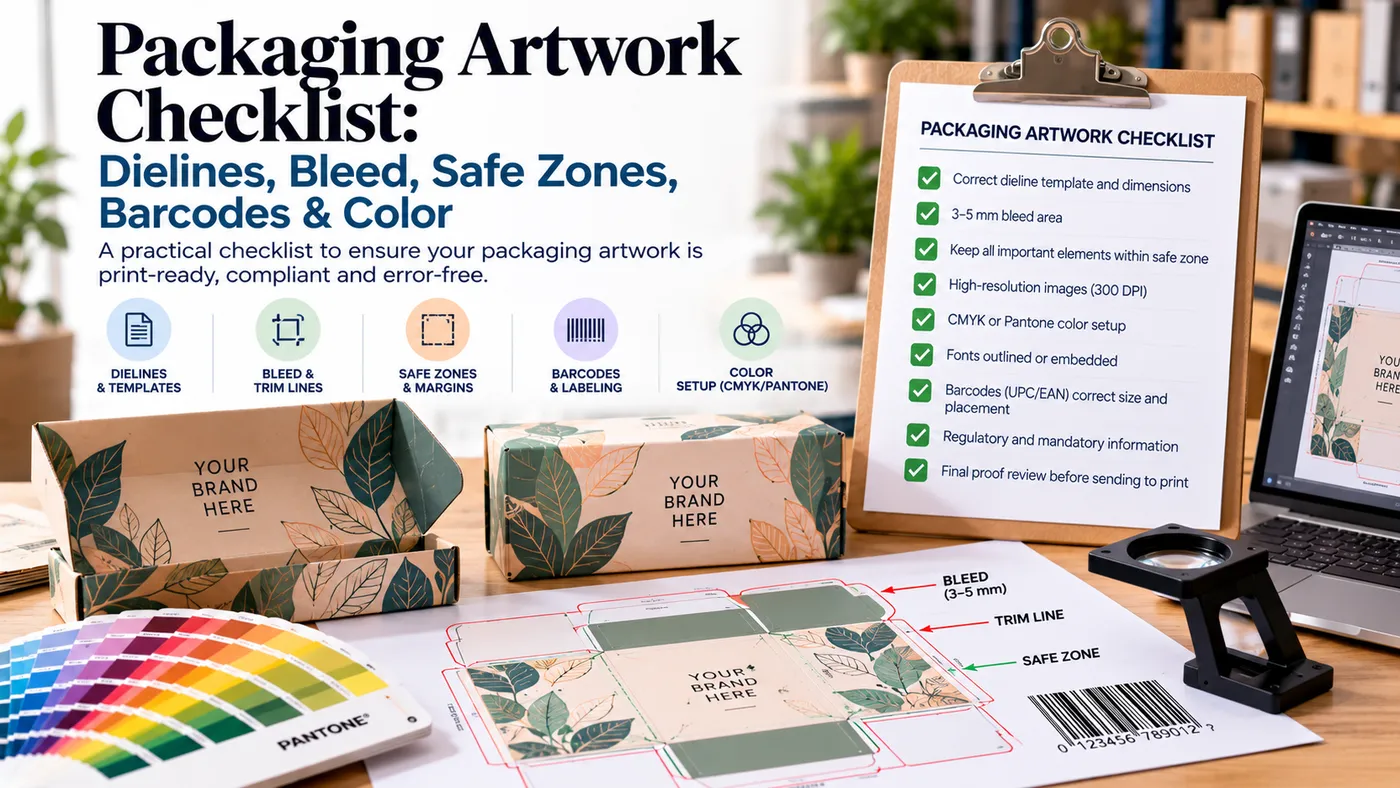
A packaging artwork checklist covers seven checks before you send files. Build on your supplier's dieline. Add 1/8-inch (3 mm) bleed. Keep text inside the safe zone. Outline fonts and embed images at 300 dpi. Use CMYK, plus named Pantone colors where needed. Leave barcode quiet zones clear. Approve a proof. Miss one, and your printer will usually bounce the file or flag it at proof stage.
Quick answer
- Use the dieline your supplier issued for your exact box. Never redraw it or move its lines.
- Extend backgrounds 1/8 inch (3 mm) past the cut line. Keep text at least 1/8 inch inside it.
- Send vector logos, outlined fonts and embedded 300 dpi images in CMYK.
- Keep barcodes on a flat panel, clear of folds, seams and glue zones.
- Approve a proof before production starts.
The packaging artwork checklist, group by group
Print this section. Tick every line before you hit send. Each term below also has a plain-English entry in our packaging glossary.
1. Dieline, layers and cut lines
- Confirm your dieline is the current version. Dielines change after samples.
- Lock the dieline layer. Put artwork on its own layer.
- Know the four line types. Our dieline guide shows each one.
- Label inside and outside artwork separately.
- Put foil, spot UV and embossing on their own labeled layers.
Line | What it does | What to do |
|---|---|---|
Cut line | Where the die blade cuts | Don't move it |
Crease/fold line | Where the board folds | Keep text off it |
Glue zone | Where adhesive goes | Keep ink out |
Perforation | Tear-open feature | Keep art clear of it |
2. Bleed and safe zones
- Extend backgrounds and images 1/8 inch (3 mm) past the cut line on every edge. Our bleed guide explains why.
- Keep logos and text at least 1/8 inch inside the cut line.
- Keep text about 1/4 inch from fold lines. Fold registration drifts too.
- Bleed interior panels as well, if they carry color.
Your supplier's template is the final authority, and it beats any generic packaging artwork checklist. Printers' numbers differ slightly, and complex shapes can need more.
3. Vector, raster, fonts and linked images
File hygiene is the quietest part of any packaging artwork checklist, and the most common cause of delays.
- Use vector files for logos, lines and type. Use raster only for photos.
- Outline all fonts, or embed them. A missing font gets swapped, usually badly.
- Embed every linked image. Linked files go missing when you email the package.
- Check image resolution at final size. You want 300 dpi at 100% scale.
A 72 dpi web logo scaled to fill a panel prints soft. No export setting fixes it.
4. Color: CMYK, Pantone, rich black and overprint
Color is where a packaging artwork checklist saves the most money on reprints.
- Set the document to CMYK from the start. Our CMYK vs RGB vs Pantone guide covers the trade-offs.
- Call out Pantone colors by number when a brand color must match across runs.
- Use 100% black for small text. Rich black belongs on large solid areas only, and recipes vary by printer, so ask for theirs.
- Check overprint settings. Objects set to overprint can print differently than they look on screen.
5. Barcode quiet zones and placement
- Leave the quiet zone clear. GS1's specification sets it as a multiple of the narrowest bar width (X). An EAN-13 needs 11X on the left and 7X on the right. A UPC-A needs 9X each side.
- Keep the barcode on a flat surface. GS1 Sweden's placement guide says never over corners, joints, perforations or seams.
- On consumer packs, place it low on the back, preferably to the right, and avoid the bottom.
- If possible, sit it 8 to 100 mm from the package edge.
- Use one barcode per package.
Here's the box-specific trap most checklists skip. Many boxes have a glue flap or tuck seam on the back panel. That's exactly where designers drop the barcode. Check the dieline first, and move the code onto a clean, flat face.
6. Proof approval
- Read our print proof guide before you sign anything.
- Print the dieline at 100% and fold it. Check every panel for direction and fold collisions.
- Approve only the file version you want printed.
Packaging artwork checklist: file spec table
Item | Requirement | Why it matters |
|---|---|---|
Bleed | 1/8 in (3 mm) every edge | Hides cutting drift |
Safe zone | 1/8 in inside cut line | Stops clipped logos |
Fold clearance | About 1/4 in for text | Stops split words |
Images | 300 dpi at final size | Prevents soft print |
Fonts | Outlined or embedded | Prevents substitution |
Color mode | CMYK, Pantone by number | Predictable color |
Barcode | Quiet zone clear, flat panel | Scans at checkout |
Why packaging artwork gets rejected
On any packaging artwork checklist, the same handful of errors cause most rejections. Our pre-press guide lists what a prepress team checks.
- RGB files or RGB images inside a CMYK file.
- No bleed, or bleed missing on interior panels.
- Artwork running into the glue zone.
- Text sitting on a fold line.
- Missing fonts or unembedded links.
- A moved or flattened dieline.
I've seen files go back three or four rounds over problems a five-minute check would have caught. Each round costs days.
Which checks matter for your product?
- Candle jar box: watch the fold wrap. A scent name can split across a panel edge.
- Cosmetics carton: small type and fine foil need clean vector art and tight safe zones.
- Ecommerce mailer: interior print is common here, so bleed and label every inside panel. See our corrugated mailer boxes.
- Retail product with a UPC: place the barcode before you design the back panel, not after.
Designing in Canva? Our Canva and Illustrator guide covers what survives the export.
What to send your packaging manufacturer
Bring this with your packaging artwork checklist ticked off:
- Product dimensions and weight (the dieline depends on them)
- Quantity and packaging format
- Artwork status: final, draft or concept
- Print-ready PDF or layered file on the supplier's dieline
- Pantone numbers for critical brand colors
- Material and printing preference
- Finishing: foil, spot UV, embossing, soft touch
- Insert requirements
- Barcode type and GTIN, if retail (never invent or reuse a GTIN)
- Destination and required date
Our manufacturing page shows how files move through production.
Key takeaway
A packaging artwork checklist is mostly about respecting the dieline. Bleed goes outside it. Text stays inside it. Folds and glue stay clear. Run this packaging artwork checklist once before submitting and most rejections disappear.
Specs vary by printer and structure, so confirm numbers against your supplier's own template.