E-Commerce Shipping
A mailer format for sending compact products with an outer sleeve that keeps the first visible message focused on the brand or collection.

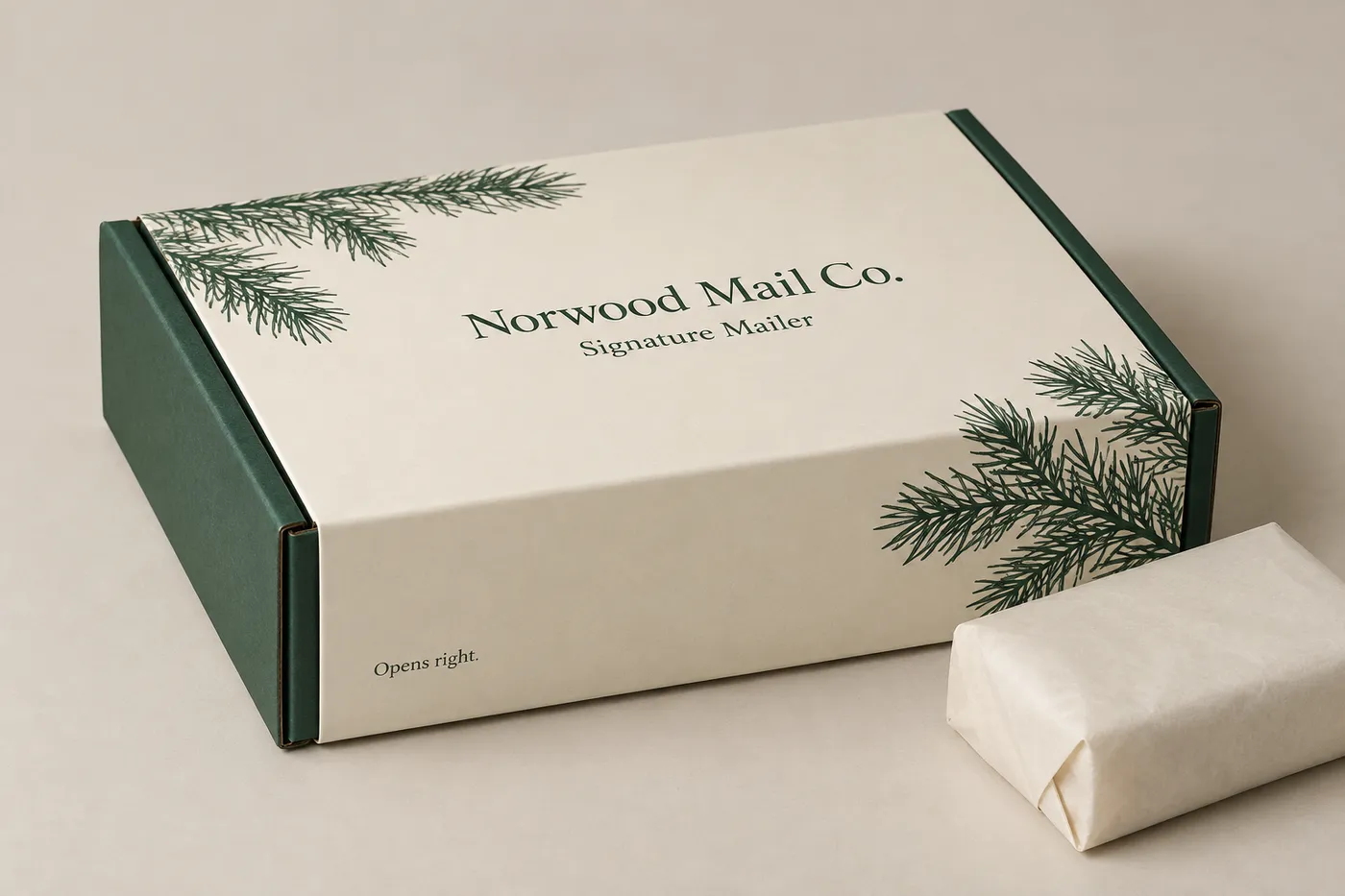
Closed custom sleeved mailer box with a printed outer sleeve and a small parcel beside it
Mailer Boxes
Custom sleeved mailer boxes pair a shipping-ready mailer structure with a printed outer sleeve that adds a deliberate branded layer at unboxing. Size the box around the packed product, then review sleeve fit, board direction, print coverage, and finish together so the package works for e-commerce, subscription, or flat-goods fulfillment.
Last updated
Working quote
Product brief
A printed sleeve gives a mailer box a distinct outer presentation while the inner structure remains focused on holding the packed order. That separation is useful when a brand wants the shipping format to carry a campaign, collection name, or seasonal artwork without treating the box and sleeve as one undifferentiated surface. The sleeve can create a clear first impression when the parcel arrives, while the mailer still supplies the folding structure used to close and carry the order. The right result depends on the packed product, the handling route, and the amount of artwork that needs to stay visible after the sleeve is fitted. A subscription shipment may need a different sleeve panel hierarchy from a one-time e-commerce order because the outside message has a different job.
Send the packed length, width, and height before the sleeve is designed. Include the product count, any tissue or paper wrap, accessory, instruction card, or secondary item that travels in the same mailer. A compact apparel order, a flat literature bundle, and a small boxed product create different interior footprints even when the outside category name is the same. Note the way the contents will sit in the box, which panel should face upward, and whether the order needs internal paperboard support. Internal support depends on product geometry, weight, orientation, structure, presentation, fulfillment, product-to-box clearance, and the desired reveal. It may be integrated into the paperboard structure or provided as a separate insert, depending on the specification. The finished allowance is confirmed during specification and proof review rather than borrowed from a generic mailer size.
The sleeve should be reviewed as part of the package, not as a label that can be resized after the box is finished. Its length, opening direction, panel breaks, and artwork position all follow the outer form of the mailer. A sleeve that wraps the broad faces can emphasize a front-facing brand message, while a more restrained treatment can leave the natural board visible at the edges. The box structure and sleeve should meet cleanly without obscuring the opening action or important artwork. If the product, quantity, or packing method changes, the box and sleeve proportions may need a new dieline review. The same visual style does not mean that one physical dieline covers every size.
Corrugated board can be reviewed when the packed order needs a shipping-oriented structure. SBS paperboard can provide a smooth printed surface for a more controlled sleeve presentation, while kraft paperboard can keep the package closer to a natural board direction. These are material directions to compare with the product weight, handling route, fold pattern, and artwork. An FSC-certified paper option is available when it fits the order; that is an offered stock choice, not a claim that every finished package uses certified material.
Matte lamination, gloss lamination, and foil stamping are available finish directions for the printed surface. Matte and gloss create different visual and handling cues, while foil stamping can highlight selected lettering or linework subject to artwork review. The sleeve artwork should account for folds, edges, the opening area, and the parts of the mailer that remain visible around it. A digital proof lets the buyer review the reading order and the relationship between the sleeve and box before production.
Easy Box Packaging includes dieline and proof review on every order at no extra charge. The process begins with the packed-product information, quantity, material direction, artwork status, and preferred print or finish treatment. The proposed structure is then checked against the dimensions and the sleeve relationship. After artwork is placed, the digital proof is reviewed and approved before production. Production starts from 7 business days after digital proof approval, and free US shipping is included on the standard fulfillment path. Orders start at 50 units. These figures describe the confirmed standard service facts; the unit price remains quote-only because this product does not have a defensible product-specific price source in the available records.
A useful brief includes the packed length, width, and height, the number of items per mailer, the total quantity, the intended fulfillment route, and whether the sleeve should cover the full outer body or leave selected board areas visible. Add the product weight when available, explain any fragile or presentation-sensitive contents, and identify the panel that should be read first. Share artwork if it is ready, or describe the required brand hierarchy if the design is still in progress. If you want to compare board feel or printed surface before ordering, a sample kit carries a $44.99 USD shipping charge credited toward the first order. Quote requests are typically answered the same business day and always within 24 hours.
The strongest starting point is the physical packed order, not only the product name. Once the dimensions, sleeve intent, and artwork status are clear, the structure can be reviewed as one package and the proof can show how the customer will encounter it at delivery.
Proof points
The construction decision connects the inner mailer, the fitted sleeve, the packed product, and the visible printed surface.
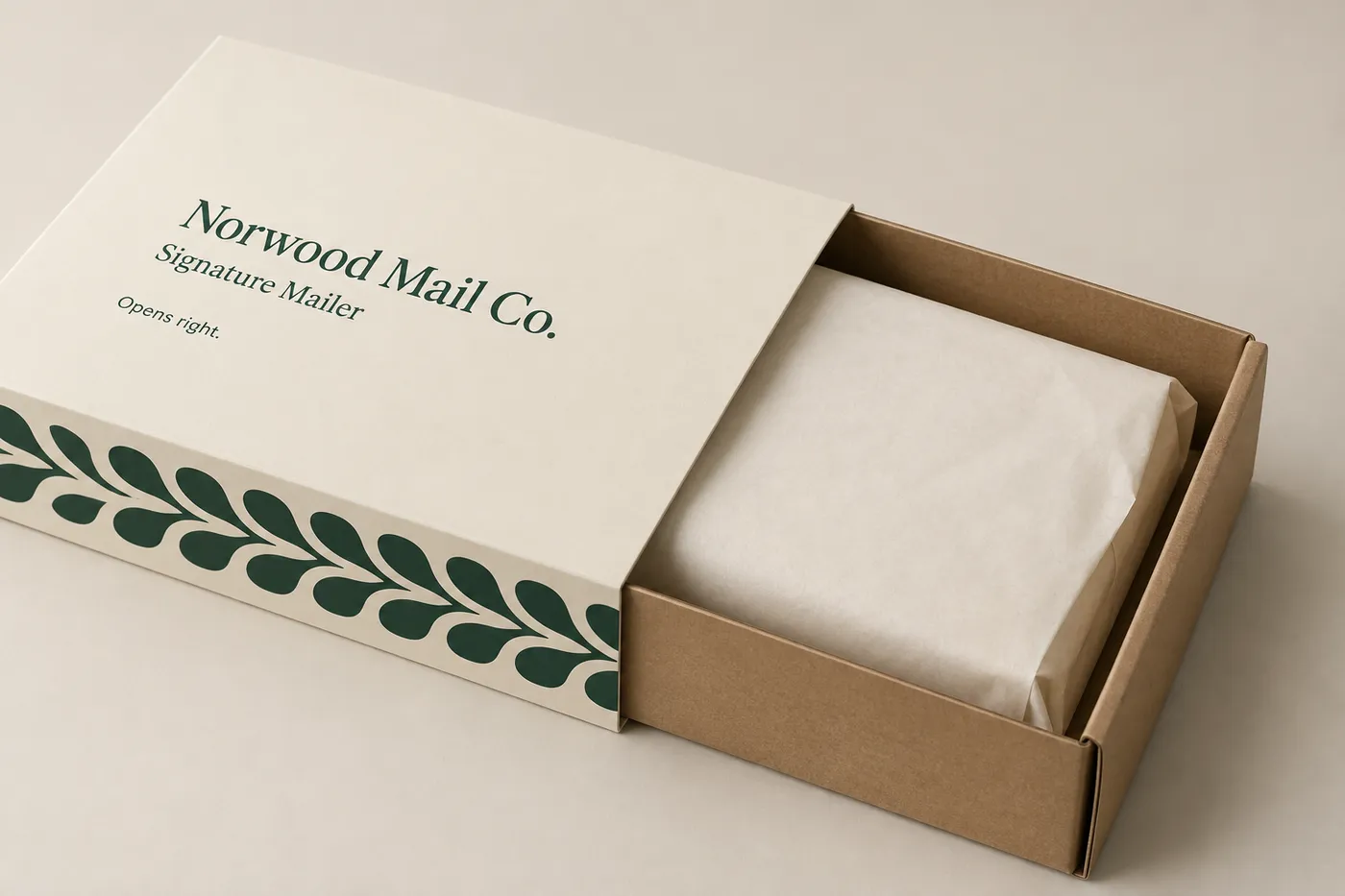
A printed sleeve adds a removable branded layer around the mailer while the inner box keeps the packed order organized for closing and handling. The sleeve fit, opening direction, panel breaks, and visible board edges should be reviewed with the mailer structure so the outer message does not interfere with the way the package opens or the product is presented.
A mailer format for sending compact products with an outer sleeve that keeps the first visible message focused on the brand or collection.
A repeatable box-and-sleeve combination where seasonal or campaign artwork can be planned around the same packed-product brief.
A shallow structure for literature, printed materials, or other flat goods when the sleeve can carry a clear outside message.
A made-to-order package for launches or limited collections that need the mailer structure and printed sleeve to read as one presentation.
The sleeve and visible mailer panels can be planned together so artwork, folds, edges, and surface treatment support the intended unboxing sequence.
The package should be reviewed as one coordinated system: the packed product sets the interior requirement, the mailer sets the closing structure, and the sleeve sets the outer reading order.
Confirm the packed length, width, height, product count, wrap, accessories, and any support that needs to travel inside the mailer.
Review sleeve opening direction, panel breaks, edge coverage, and how the outer artwork sits against the mailer closure.
Use the digital proof to check artwork placement and request a sample kit when board feel, print surface, or sleeve handling needs a physical check.
Ordering starts with the packed product and ends with a reviewed digital proof that shows the mailer and sleeve together.
Provide the packed length, width, height, product count, wrap, accessories, orientation, and expected quantity.
Identify the board direction, print coverage, sleeve treatment, and finish you want the team to review.
Review the proposed mailer structure and sleeve relationship against the packed-product information.
Share the artwork or confirm the panel hierarchy and print direction if the design is still being prepared.
Approve the reviewed proof after checking sleeve placement, artwork orientation, and the package opening sequence.
Need help with structure, materials, or production planning? See how we manufacture custom packaging.
Review board feel, printed surface, and sleeve handling before a full run; the sample-kit shipping charge is $44.99 USD and is credited toward the first order.
Shipping charge: $44.99. Credited toward your first order.
Request a Sample KitFind clear answers about fit, materials, and ordering below.
The sleeve is reviewed from the outer mailer form, its opening direction, the panel breaks, and the areas that should remain visible. The packed product still sets the inner box requirement, so the sleeve brief should be developed from the same dimensions and orientation rather than from a generic box size.
Corrugated board, SBS paperboard, and kraft paperboard are material directions to compare with the packed order, handling route, fold pattern, and printed sleeve. An FSC-certified paper option is available when it fits the order, subject to the selected stock and specification.
Yes. The sleeve can be planned as the main outer print layer, with its own panel hierarchy and finish direction, while the mailer structure is reviewed around the packed product. The digital proof is the point to check artwork orientation, edge coverage, and the opening sequence together.
Orders start at 50 units. Production starts from 7 business days after digital proof approval, and free US shipping is included on the standard fulfillment path. A sample kit is also available with a $44.99 USD shipping charge credited toward the first order.
Orders start at 50 units and scale up to 500,000 for bulk runs, with pricing from $0.18 per unit on larger quantities. Standard production is from 7 business days after digital proof approval.
Common uses include E-commerce shipping, subscription shipments, flat-goods mailing, and branded product drops. The final specification is set by the packed product and how it will be handled.
Yes. Free US shipping is included on the standard fulfillment path. Delivery timing and carrier details are confirmed when your quote is prepared.
Compare nearby products and request the format that best fits your next run.
Available product
Available product
Available product
Available product
Get Started
Send the packed dimensions, product count, quantity, sleeve coverage, material direction, finish preference, and artwork status to request a quote.
Add your product details to see a quote summary.