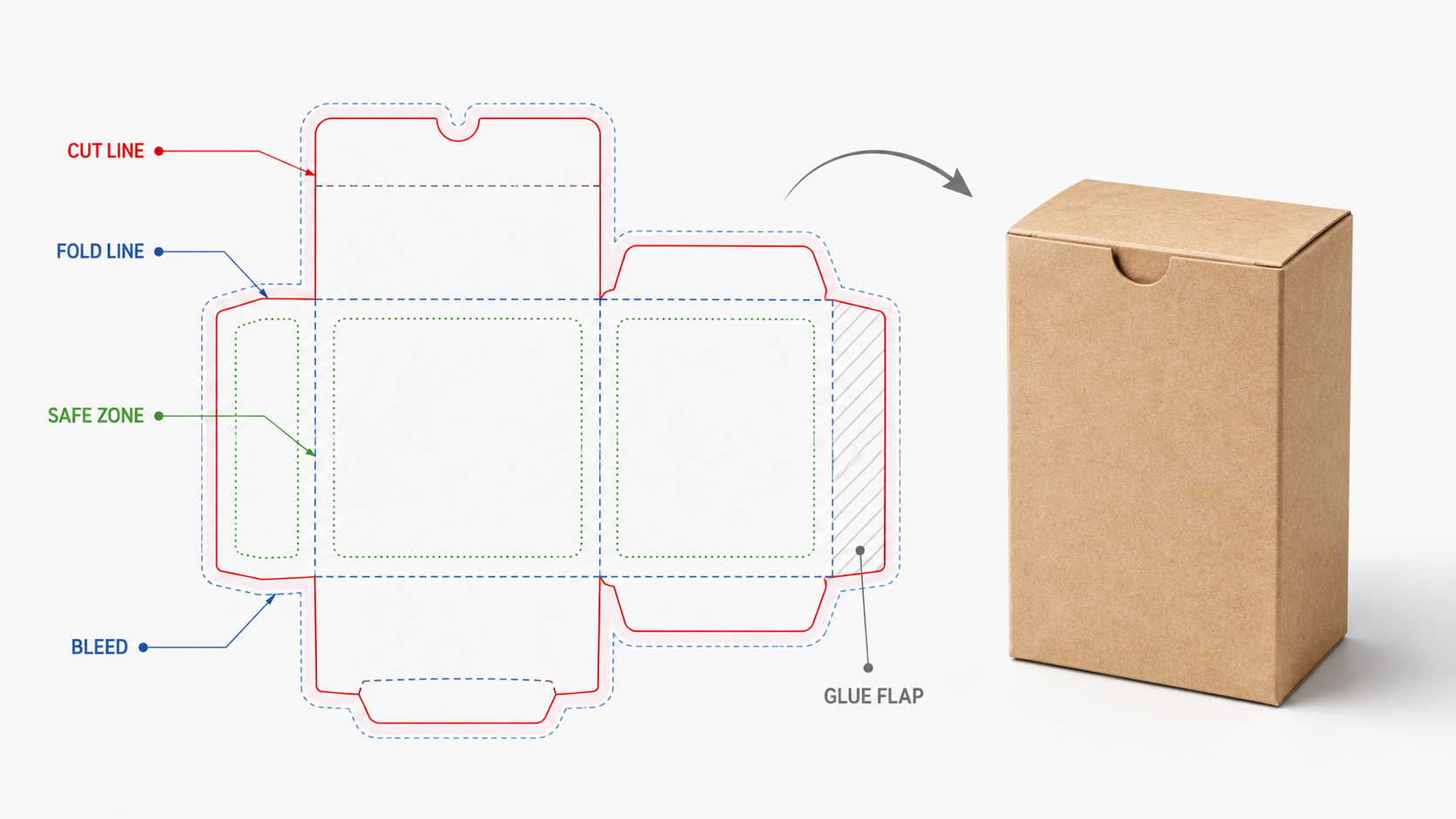
What is a dieline? It’s a flat, two-dimensional template that shows exactly how a box folds together. It marks every cut line, fold line, and safe zone on one file. Your artwork sits inside that template. The dieline itself never gets printed. Think of it as the blueprint your design has to fit inside.
What’s Actually on a Dieline
A dieline uses different line types for different instructions. Solid lines mark where the die cuts through the board completely. Dashed lines mark where the die only scores the board, creating a fold line without cutting through it.
Some dielines also include a dotted or perforated line. That marks a perforation, like a tear-away strip or a resealable flap. Each line type tells the printer and the die-maker something different about that exact spot on the board.
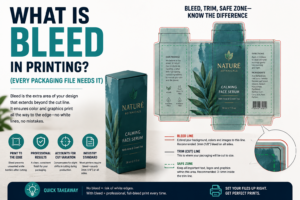
Most dielines also mark a bleed area and a safe zone. Bleed extends your artwork slightly past the cut line. That way, there’s no thin white gap if the cut shifts slightly. The safe zone sits inside the cut line instead, keeping important text and logos away from the edge.
Glue flaps show up on most dielines too. These are the small extra panels that fold under and get glued to hold the box together. They usually sit outside the main visible panels of the box.
Some dielines also mark a thumb notch or finger cutout. These are small partial cuts that make a box easier to open by hand. These get their own line style too, since they’re neither a full cut nor a simple fold.
Dieline vs Artwork vs Die: What’s the Difference?
These three terms get mixed up constantly. A dieline is the flat digital template file. It’s usually a vector file like an AI, EPS, or PDF.
Artwork is your actual design. It’s the colors, logo, text, and images that sit on top of the dieline template. The dieline itself stays invisible on the finished box.
A die is the physical cutting tool. It’s built from the dieline file, using steel rules bent into that exact shape. The die is what actually presses through the board on a production press.
In short: the dieline is the digital plan. The die is the physical tool. The artwork is the design that fills the space the dieline defines.
The confusion usually comes from casual shorthand. People say “send me the die” when they mean the dieline file. Nobody actually ships a steel tool by email. Once you separate the three terms, briefs and revisions get a lot easier to follow.
Dieline Line Types Explained
| Line Type | Style | What It Means |
|---|---|---|
| Cut line | Solid | Die cuts completely through the board |
| Score/fold line | Dashed | Die creases the board without cutting through |
| Perforation | Dotted | Board tears along this line when pulled |
| Bleed line | Outside the cut line | Artwork extends here to avoid white edges |
| Safe zone | Inside the cut line | Keep text and logos inside this boundary |
Every dieline file should label these clearly, usually on a separate layer from the artwork itself.
Common Dieline Mistakes
Most guides just say “follow the template.” Here’s what they don’t explain. Artwork placed too close to a fold line can crack or distort once the box actually folds. That’s easy to miss on a flat screen, since the fold hasn’t happened yet.
Ignoring the bleed area is another common miss. Skip it, and a tiny shift in cutting can leave a thin white sliver along an edge. That sliver looks like a printing error, even though the cut itself was fine.
Here’s the one that catches first-time brands off guard: sending flattened artwork instead of the layered dieline file. I’ve had a client send a single flat PDF with no visible fold lines at all. The printer had no way to confirm where the design lined up with the actual box shape. That’s one of the packaging mistakes that kill the unboxing moment before the box even reaches production. Always keep the dieline as its own separate layer, visible and labeled, even in your final art file.
Wrong file format causes problems too. A dieline needs to stay in vector format, not a flattened image. A raster file loses the precise line data a die-maker needs to build an accurate cutting tool.
According to Adobe’s guidance on packaging design files, vector formats like AI and EPS preserve exact path data. Raster formats simply don’t carry that same precision. That precision is what lets a die-maker cut an exact match to your design, not an approximation.
What a Dieline Adds to Your Quote
Most printers include a standard dieline template for common box styles at no extra cost. Standard mailer, folding carton, and tuck-top shapes usually already have a dieline on file.
A fully custom shape needs a new dieline built from scratch. That’s typically bundled into the design and tooling cost for a custom die. It’s rarely billed as a separate line item. Request a quote that clarifies whether your shape uses a standard template or needs a custom one.
Revisions add time, not usually extra cost, if they happen before the die gets cut. Once a die exists, changing the dieline means cutting a new die entirely. That’s the same one-time tooling cost you’d pay for any new shape.
This is why it’s worth catching dieline issues early. A quick revision on a digital file costs almost nothing. The same fix after the die is already cut means starting the tooling process over.
Reorders reuse the exact same dieline file. There’s no extra design work needed unless you’re changing the box shape itself. Keep your approved dieline file on hand for exactly this reason. A box that fits and folds the same way every time builds real trust. That consistency is exactly the kind of thing that turns a first order into a repeat one.
Which Should You Choose?
Using a common box shape, like a simple mailer or tuck-top carton? A standard dieline template almost certainly already exists. Ask your printer before assuming you need something custom.
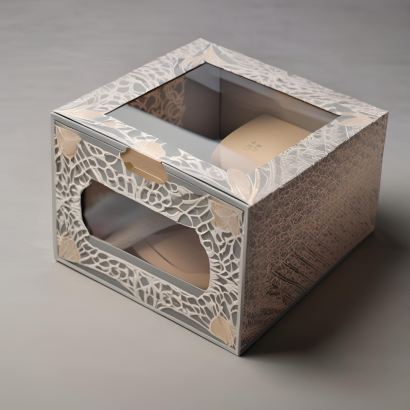
Designing an unusual shape, like a display box with cutouts? You’ll need a fully custom dieline built for that exact design. Budget extra time for the die-making step that follows.
Working with a design agency on your packaging? Make sure they design directly on the printer’s dieline file, not a generic template pulled from somewhere else. Small differences in dimensions can throw off the whole fit.
Printing on cardboard boxes or another corrugated structure? Confirm the dieline accounts for board thickness. Corrugated folds differently than thin folding carton stock. A dieline built for one won’t fold correctly on the other.
Not sure whether your shape is standard or custom? Send a rough sketch or reference box to your printer before starting artwork. It’s faster to confirm this upfront. Redoing a design after the dieline turns out different than expected costs more time.
Planning to reorder the same custom mailer boxes down the line? Save your approved dieline file after the first run. It’s exactly the kind of small detail that keeps repeat orders simple and consistent.
Dieline: FAQ
What is a dieline used for?
Showing exactly where a box gets cut, scored, and folded, all on one flat template. Your artwork fits inside this template before the box gets printed and cut.
What file format should a dieline be?
A vector format like AI, EPS, or a layered PDF. Vector files keep the precise line data a die-maker needs. A flat raster image loses that precision.
Is a dieline the same as a die?
No. A dieline is the digital template file. A die is the physical steel cutting tool built from that file.
Do I need a custom dieline for every box?
Not always. Standard shapes like common mailers or tuck-top cartons usually already have a dieline on file. Only unusual or fully custom shapes need one built from scratch.
Why did my box print with a white edge along the design?
The artwork likely didn’t extend into the bleed area. Extend your design slightly past the cut line next time. That avoids a visible gap if the cut shifts slightly.
A dieline isn’t the exciting part of packaging design, but it’s the part everything else depends on. Get the template right, and everything else follows. The artwork, the die, and the finished box all line up the way they’re supposed to. Skip that step, and even great artwork can come back looking off.